



The ROTA product family
One system of record for employee scheduling and timesheets
Four modules connect to the same operational flow: build the schedule, verify what happened, manage leave, and review reports in one place.
ROTA's primary database and file-storage infrastructure is hosted in the European Union (Frankfurt). Privacy notice
Four modules, one flow
The same record, end to end
Build the schedule
Prepare the weekly shift plan and review unassigned shifts before you publish.
Verify what happened
Clock-ins are kept to your time and location rules; planned and actual sit side by side.
Settle leave and reporting
Approve leave requests, close timesheets, and review reports in the same system of record.
Four modules, one record
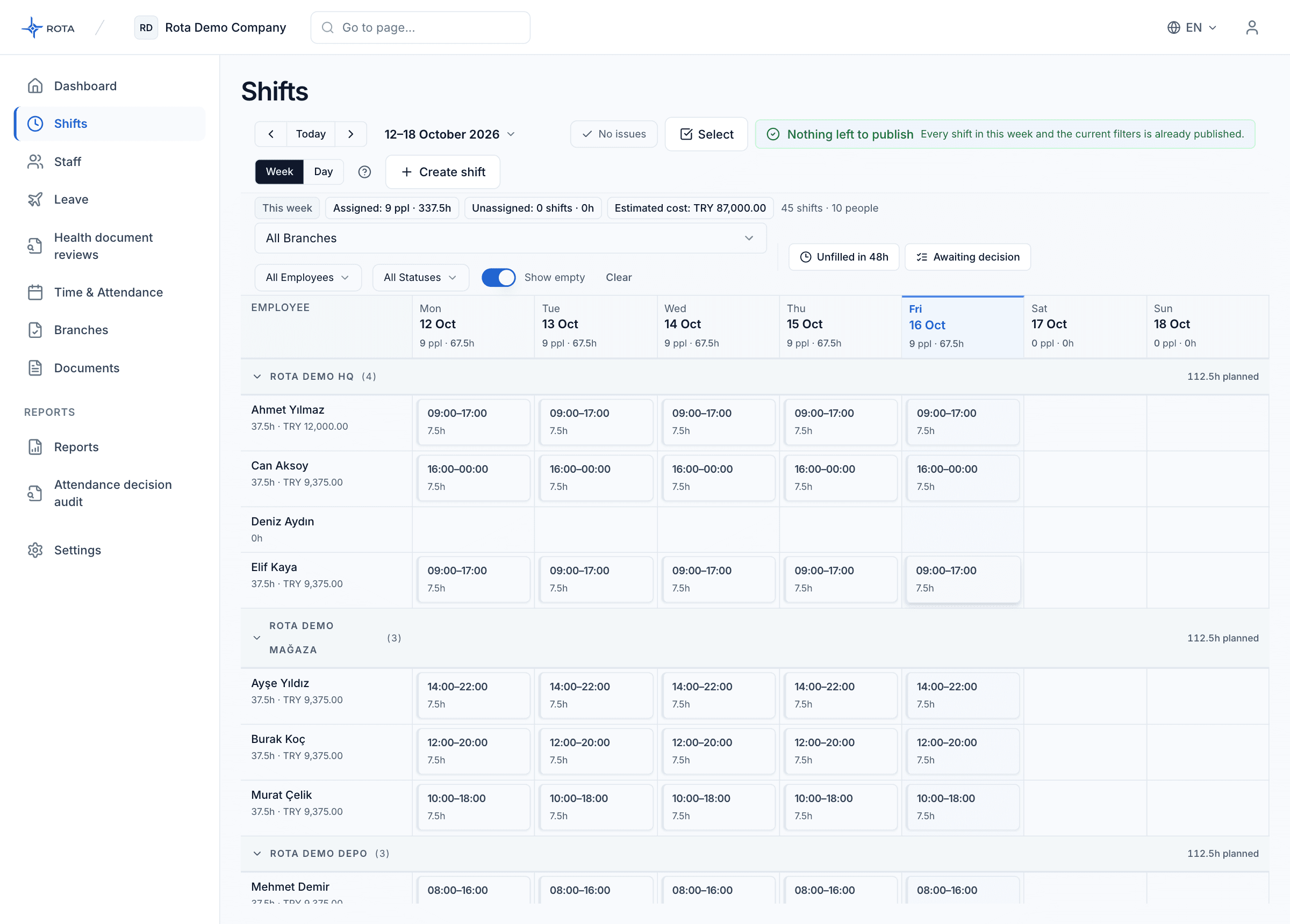
Shift Scheduling
Weekly schedule, conflict warnings, and one-click publish.
Explore the feature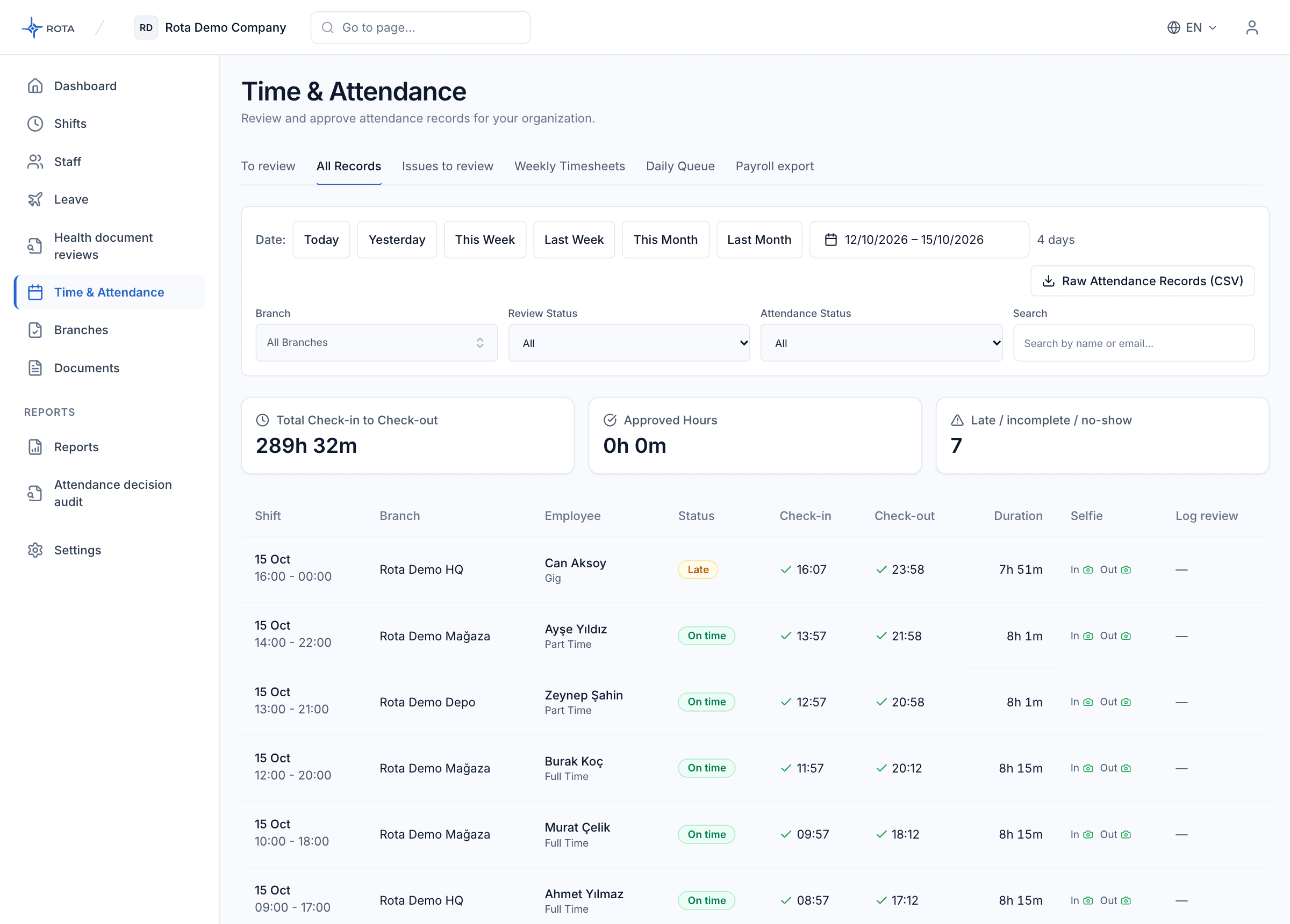
Time & Attendance
Location clock-in/out, selfie evidence, and daily timesheets.
Explore the feature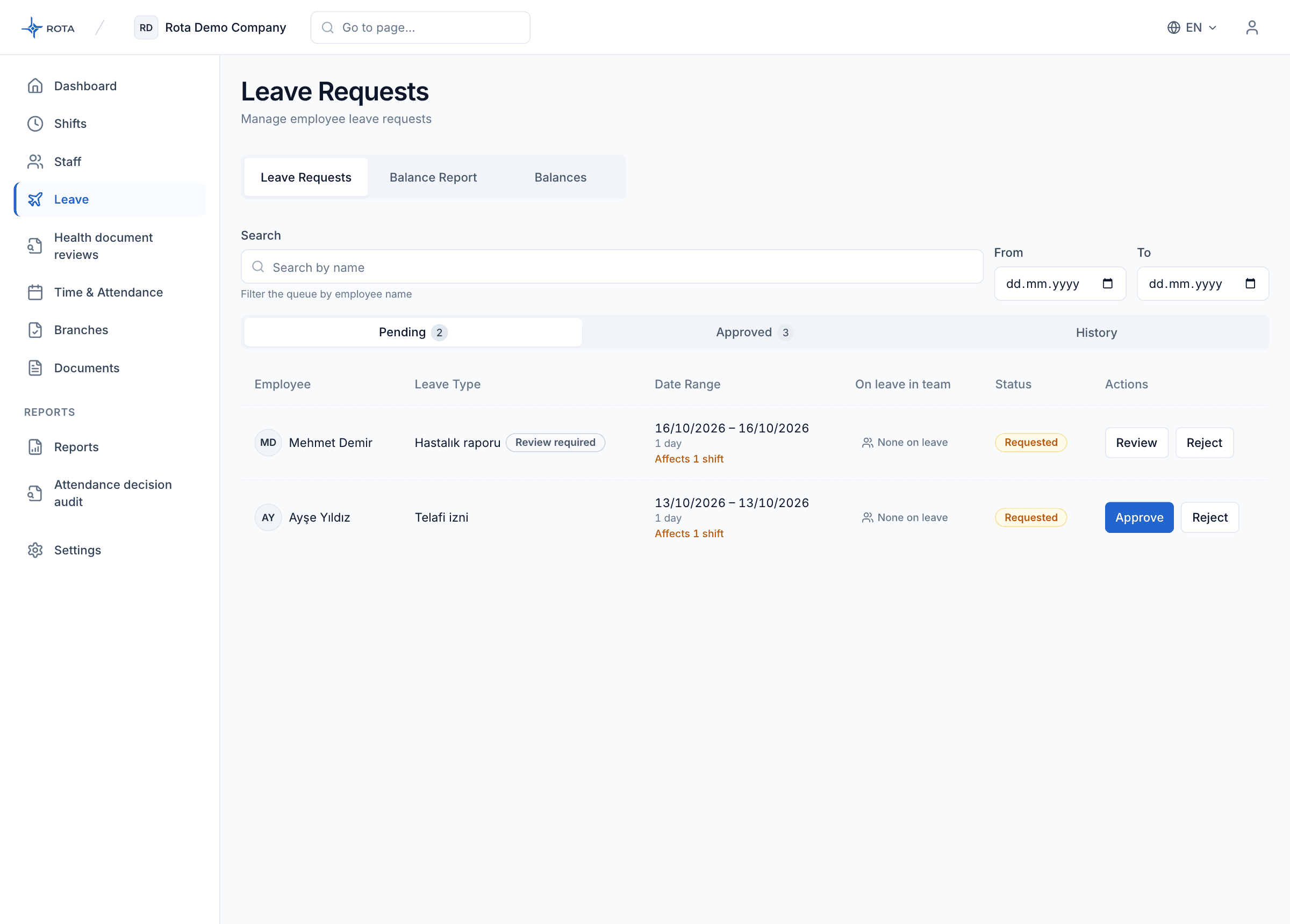
Leave Management
Leave requests, approval queue, and balance tracking.
Explore the feature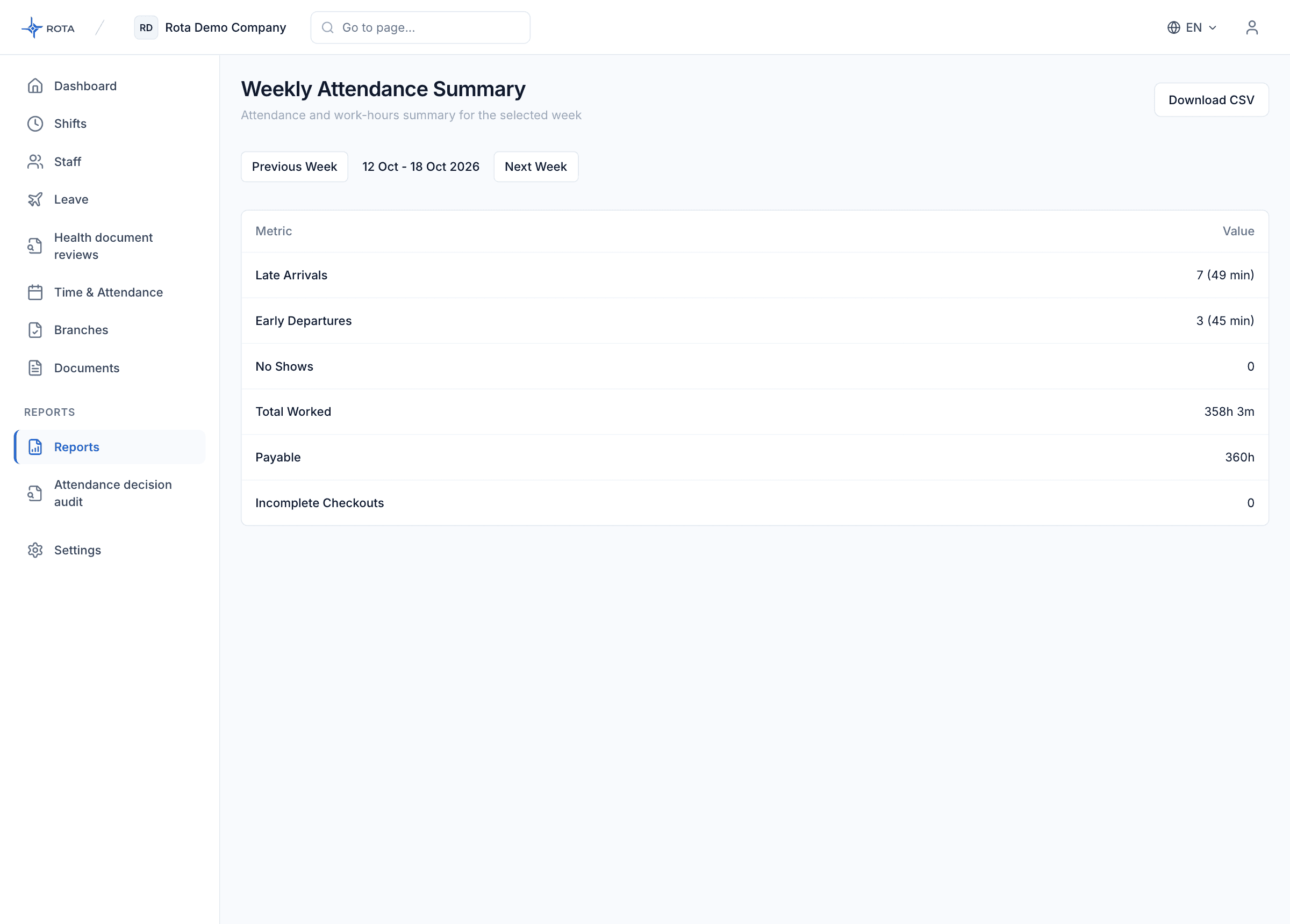
Reporting & Audit
Attendance summaries and change history.
Explore the feature
Common questions
ROTA does not run payroll; the timesheet is built automatically from clock-in and clock-out records, and you export it as CSV to open in Excel and send to your payroll team.
If you still run shifts in Excel and WhatsApp, compare the two approaches on cost, error risk and audit trail in the Rota vs Excel + WhatsApp comparison.
We currently run on Excel and WhatsApp. What does moving over look like?
You build the schedule in the panel and each employee sees their own shifts in the app, so you no longer announce shifts over WhatsApp. Business owners can add their staff in bulk with a CSV or Excel (XLSX) file. After valid records are created, invitations are sent as a separate step. Importing existing shift schedules from Excel is not supported. Timesheets go the other way: you export them as CSV and send them to payroll.
Can shifts overlap or get double-booked?
The system catches overlapping or double-booked shifts at publish time — the mistake Excel would miss stops here.
How do I see incomplete or out-of-policy attendance records?
Records with no clock-out are collected in their own queue in the panel, and a manager can close the clock-out. Flagged records are listed on the review page and can be reviewed in bulk. Every correction stays visible in the history.
How are leave requests and balances handled?
Staff submit a request from the mobile app, and managers approve or decline it in one tap. Approved leave is written straight onto the shift schedule, and the remaining leave balance is reported.
We have several branches — how do roles work?
Each branch is defined with its own time zone and its own distance limit. There are three roles: owner, manager and employee. A manager runs the schedule and timesheets for the branch they are responsible for, while the owner sees every branch.
See ROTA in your workflow
Explore how all four modules work together for your team in a short demo.